Wearover
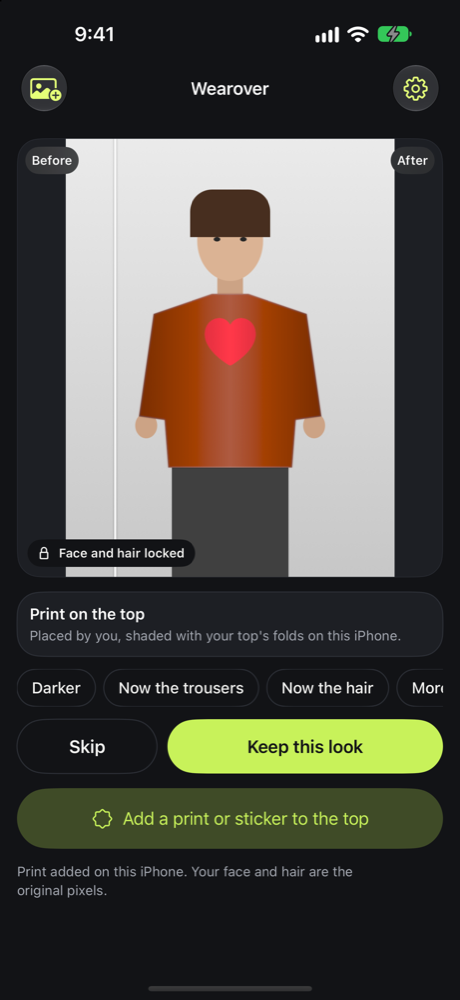
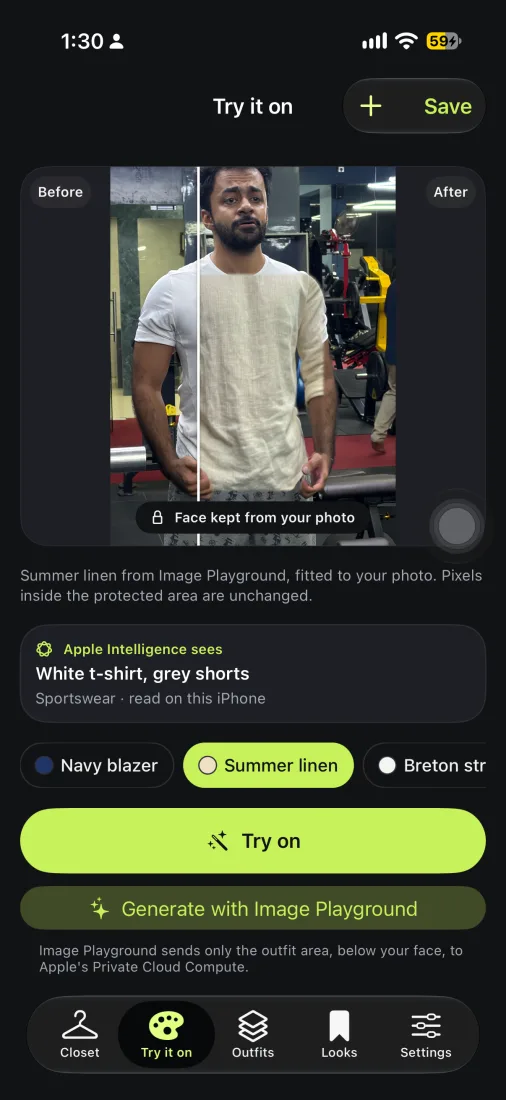
Pick a photo of you and a look. The clothes change; your face stays exactly as it is.
In testingiPhone
Coming as an update to Best Face Forward
One screen: pick a photo of yourself, then change the top, the trousers, the shoes or your hair. Choose from the menu, tap it on the photo, or say it: "navy linen trousers". Your face stays exactly as photographed.
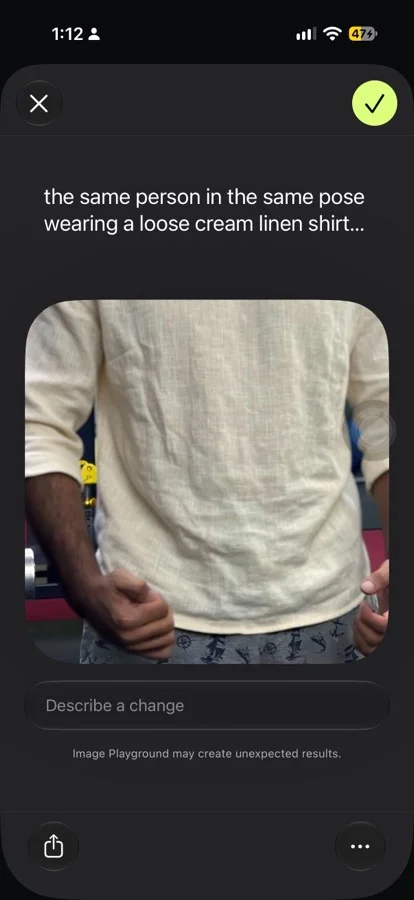
- Recolour on the phone, keeping the folds of the fabric, or ask Image Playground to redraw the piece as a photo, animation, illustration or sketch. Only the clothes below your face go to Apple's Private Cloud Compute for a redraw.
- Apple Intelligence reads what you are wearing, on the phone, and the redraw keeps the rest of the outfit.
- Change several photos at once, then keep or skip each one.
- From a Live Photo, it picks the frame with the clearest face, as Best Face Forward did.
- Save a look, or its before and after, to Photos.
Wearover will replace Best Face Forward on the App Store as its next update. Tested on an iPhone 17; not released yet.
Connects with
- Screen Room → Wearovernextthe same picture maker
- Best Face Forward → Wearoverbuiltyour best frame to dress
- Folio → Wearoverbuiltpictures of you and your clothes
- Breakline → Wearoverin progresstry outfits on your own photo